
Email marketing can be one of the most useful ways to connect with customers, build trust, and generate sales. Yet even a well designed campaign can fall flat when small errors creep into the process. You might spend hours writing the perfect message, choose an attractive design, and send it to thousands of subscribers, only to see very few clicks or sales.
The problem is not always your email marketing platform or the size of your mailing list. Sometimes, the real issue lies in how you plan your campaigns, choose your audience, write your messages, or measure results.
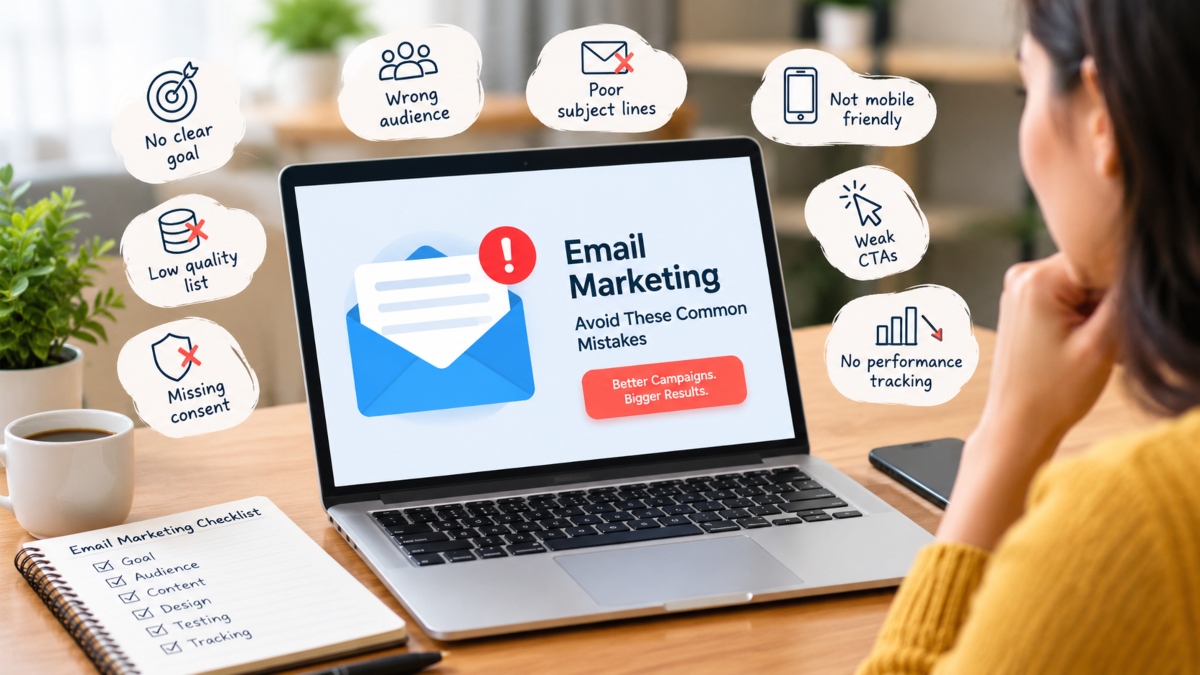
Common email marketing mistakes include sending emails without a clear goal, ignoring subscriber preferences, using weak subject lines, and failing to test campaigns before sending them. Technical problems, poor list quality, and unclear calls to action can also hurt performance.
The good news is that most of these problems can be fixed with a few practical changes. Whether you run a small business, manage marketing for a growing company, or work with clients as a marketer, understanding these mistakes can help you get more value from every email you send.
Sending Emails Without a Clear Goal
Every email should have a reason to exist. Sending messages simply to stay in touch may keep your brand visible, but it does not give readers a clear reason to take action.
Imagine a business sending an email that promotes a new product, invites readers to a webinar, shares a blog post, and offers a discount. The message may contain useful information, yet readers might struggle to decide what deserves their attention.
This is what happens when a campaign lacks a clear goal. The subject line, body copy, offer, and call to action can all pull in different directions.
Before writing an email, decide what you want the reader to do. Your goal might be to book a demo, purchase a product, download a guide, visit a landing page, or reply to a question.
How to Set a Clear Goal for Every Email Campaign
Start with one main action and build the message around it.
For example, if your goal is to generate demo bookings, write a subject line that speaks to the reader’s needs, explain how your service can help, and include a clear button that leads to the booking page.
Choose a metric that matches your goal. Track purchases for sales campaigns, bookings for demo campaigns, and downloads for content campaigns.
You can include supporting information, but keep the main offer easy to understand. A focused email gives readers a clearer path from opening the message to taking action.
Sending the Same Email to Every Subscriber
Your subscribers are not all at the same stage of the buying process. Some may have just discovered your business, while others have purchased from you several times. Treating everyone as if they have the same needs can make your emails feel generic.
Think about a person who has already purchased a product. Sending that customer the same introductory offer you send to new leads may waste an opportunity to build a stronger relationship.
Poor audience targeting can reduce clicks, increase unsubscribes, and leave useful offers in front of people who have little interest in them.
How to Segment Your Email List for Better Results
Email list segmentation means dividing subscribers into groups based on shared traits, interests, or actions.
You can begin with a few simple groups:
- New subscribers: People who recently joined your mailing list and need an introduction to your business.
- Potential customers: People who have shown interest but have not purchased yet.
- Existing customers: People who may appreciate product updates, helpful tips, or relevant offers.
- Inactive subscribers: People who have stopped opening or clicking your emails.
- Repeat buyers: Customers who may respond to related products, loyalty rewards, or useful recommendations.
As you collect more data, you can create segments based on purchase history, product interests, browsing behavior, or location.
You do not need a complicated system to get started. Even a few well chosen segments can make your emails more relevant and give subscribers a better reason to engage.
Buying Email Lists or Using Poor Quality Contacts
A large mailing list can look impressive, but the number of contacts means little if those people never agreed to receive your emails or have no interest in your business.
Purchased and scraped lists often contain invalid addresses, outdated contacts, spam traps, and people who do not recognize the sender. Sending campaigns to these addresses can increase bounce rates and spam complaints. It can also hurt your sender reputation, making it harder for future emails to reach the inbox.
There is another problem: people who never asked to hear from you are unlikely to become loyal customers.
How to Build and Maintain a Healthy Email List
Build your list through clear signup forms, useful resources, webinars, relevant offers, and other methods that invite people to subscribe willingly.
Tell visitors what they can expect when they sign up. If you plan to send a weekly newsletter or occasional product updates, make that clear from the start.
Use a confirmation email when it suits your signup process, and keep your contact records clean. Remove addresses that repeatedly bounce and review subscribers who have stopped engaging.
Never buy email lists simply to increase your reach. A smaller list of interested subscribers is often more useful than a much larger list filled with people who ignore your messages.
Ignoring Email Consent and Privacy Rules
Sending marketing emails without the required permission can create legal problems and damage customer trust. The rules vary by country, so businesses need to understand the requirements that apply to their audience.
For example, US business email rules cover accurate sender information, honest subject lines, and a clear way to opt out. UK and European privacy rules have their own requirements for electronic marketing, including consent in many situations and limited exceptions in certain cases.
A common mistake is assuming that someone who downloads a free guide has automatically agreed to receive every future promotion. That depends on what the person agreed to and the rules that apply.
How to Keep Your Email Campaigns Compliant
Make the signup process clear and keep a record of subscriber preferences and consent where required.
Follow these basic practices:
- Explain what people are signing up to receive.
- Use accurate sender details and honest subject lines.
- Include your business identity and a working unsubscribe option.
- Process opt out requests within the required period.
- Avoid adding contacts to promotional lists without a valid basis.
- Review the rules that apply in the countries where you operate.
Respecting subscriber choices is good business practice as well as a legal concern. People are more likely to trust a brand when they understand why they are receiving its emails and can control their preferences.
Writing Weak or Misleading Subject Lines
The subject line is often the first thing a subscriber sees. If it is vague, dull, or confusing, the reader may move on without opening the email.
Consider these two examples:
- Weak: An Update From Our Team
- Clearer: Three Ways to Improve Your Next Email Campaign
The second version gives readers a better idea of what they will find inside. It offers a clear reason to pay attention without making an exaggerated promise.
Misleading subject lines can cause even more damage. A message that promises a huge discount but delivers a minor offer may earn an initial open, yet leave the reader disappointed. Repeated experiences like this can reduce trust and increase spam complaints.
How to Write Better Email Subject Lines
Keep your subject lines clear, relevant, and easy to scan on a phone. Tell readers what the email offers or why it matters to them.
You can test different approaches, such as a direct benefit, a useful question, or a timely offer. Preview text also deserves attention because it gives readers another clue about the message.
Avoid making claims the email cannot support. If the subject line promises a checklist, make sure the checklist is easy to find inside the email.
The aim is not simply to get an open. It is to attract the right reader and deliver what the subject line promised.
Using Generic Personalization
Adding a subscriber’s first name to an email can make the greeting feel more personal, but it does not automatically make the message relevant.
A message that begins with “Hi Sarah” and then promotes a product the reader has no interest in still feels generic. Good personalization goes beyond names. It uses relevant information to make the message more useful to the person receiving it.
For example, an online store might recommend related products based on a previous purchase. A software company might send different onboarding emails to people who have started a free trial and those who have booked a demo.
How to Personalize Emails Beyond the Subscriber’s Name
Use information that helps you understand what subscribers need, while respecting their privacy and preferences.
You can personalize emails through:
- Previous purchases and related product recommendations.
- Topics or categories a subscriber has chosen to follow.
- Helpful reminders based on purchase timing.
- Onboarding messages based on where someone is in the customer journey.
- Offers suited to a subscriber’s stated interests.
Make sure your data is accurate before using personalization fields. A broken merge tag or an incorrect product recommendation can make an email look careless.
You do not need to personalize every sentence. Start with the parts that matter most, such as the offer, content recommendation, or next step.
Sending Too Many or Too Few Emails
How often should you email your subscribers? There is no single answer that works for every business.
Send too many messages, and people may feel overwhelmed. Send too few, and they may forget who you are or why they signed up in the first place.
Picture a subscriber who joins your newsletter to receive useful marketing advice. If the next ten emails are sales pitches, that person may lose interest quickly. On the other hand, a business that stays silent for six months may struggle to get attention when it finally announces a new offer.
The right frequency depends on your audience, industry, content, and the expectations you set when people subscribe.
How to Find the Right Email Sending Frequency
Start by telling subscribers how often they can expect to hear from you. Then create a schedule you can maintain without filling inboxes with unnecessary messages.
A weekly newsletter may work well for one business, while another may get better results with two emails per month. Online stores may also send timely order updates, product announcements, and reminders when customers show interest in an item.
Watch your click rates, unsubscribes, and spam complaints as you adjust your schedule. If engagement drops after you increase the number of emails, review whether the extra messages offer enough value.
Let subscribers choose their preferred frequency when possible. Giving people control can help you maintain a healthier relationship with your audience.
Neglecting Mobile Friendly Email Design
An email may look excellent on a desktop screen but become frustrating to read on a phone. Text that appears too small, images that stretch beyond the screen, and buttons that are difficult to tap can send readers away before they reach your main offer.
Mobile friendly design matters because people check their inboxes across different devices and email apps. Your message needs to work well wherever a subscriber chooses to read it.
Even a useful offer can lose attention when readers have to zoom in, scroll through oversized images, or search for the main button.
How to Optimize Emails for Mobile Devices
Use a responsive email template that adjusts to different screen sizes. Keep the layout simple and make the main message easy to find.
Follow these practical steps:
- Use readable font sizes and clear headings.
- Keep paragraphs short and easy to scan.
- Place the main message and CTA near the top.
- Make buttons large enough to tap comfortably.
- Compress images so they load quickly.
- Add descriptive alternative text to meaningful images.
- Test the email on common mobile devices and email apps.
Pay attention to the full experience, not just the appearance. Open the email on a phone, tap every button, and check that the landing page also works well on a smaller screen.
A clean design helps readers understand your message without unnecessary effort.
Using Weak Calls to Action
Your email may have a strong subject line and useful content, but readers still need to know what to do next.
A call to action, often called a CTA, tells subscribers what step to take. Weak CTAs such as “Click Here” or “Learn More” can work in some situations, but they often provide little information about what happens after the click.
Another common mistake is adding too many buttons, links, and offers to one message. When every element competes for attention, the main action becomes harder to find.
How to Write Clear Calls to Action That Get Clicks
Use action focused wording that explains the next step.
For example:
- Replace “Click Here” with “Download the Free Checklist.”
- Replace “Learn More” with “Explore Our SEO Services.”
- Replace “Get Started” with “Start Your Free Trial” when that accurately describes the offer.
Make the main CTA visually clear and place it where readers can find it easily. The destination should match the promise made in the email. If the button offers a free guide, send readers directly to the guide or a clear download page rather than a general homepage.
One primary CTA is a useful starting point for many campaigns. Longer emails may need another button further down, but both should support the same main goal.
Test different button labels and placements to learn what works for your audience.
Writing Emails That Are Too Long or Unfocused
Long emails are not always bad. A detailed newsletter, customer update, or educational message may need more space. The problem starts when an email contains too many ideas without a clear structure.
Readers often scan messages before deciding whether to read them fully. Large blocks of text, several unrelated offers, and unnecessary background information make that decision harder.
Imagine receiving an email about a new marketing tool. Instead of explaining the main benefit, the message includes a long company history, five unrelated features, three discounts, and several links. The reader may leave without understanding why the tool matters.
How to Make Email Copy Shorter and Easier to Read
Start with the main benefit. Explain why it matters, add the details readers need, and guide them towards the next step.
Use short paragraphs, helpful headings, and bullet points when they make information easier to scan. Remove sentences that repeat the same idea or distract from the main message.
You can also move detailed information to a landing page or blog post. The email can introduce the topic and give readers a clear reason to visit the page.
Before sending, ask yourself three questions:
- Does the reader understand the main point?
- Does every section support the campaign goal?
- Can I remove anything without losing useful information?
If the answer to the final question is yes, edit the email again. Clear writing respects the reader’s time and makes the main offer easier to understand.
Ignoring Email Authentication and Sender Reputation
Sometimes, an email campaign struggles because of a technical problem rather than poor writing. Your message might be useful, your audience might be interested, and your links might work perfectly, yet the email could still land in the spam folder.
Email deliverability refers to the ability of your messages to reach recipients’ inboxes. Mailbox providers assess several signals, including authentication, sending behavior, recipient complaints, and domain reputation.
Three technical terms deserve attention: SPF, DKIM, and DMARC.
SPF helps identify which servers are permitted to send email for your domain. DKIM adds a digital signature that helps receiving systems check whether a message is associated with an authorized sender. DMARC tells receiving systems how to handle messages that fail certain authentication checks and provides reporting options.
How to Improve Email Deliverability
Start by checking the authentication settings for your sending domain. Work with your email service provider or technical team to configure SPF, DKIM, and DMARC correctly.
Google’s sender rules require SPF or DKIM for all senders to personal Gmail accounts. Bulk senders have additional requirements, including SPF, DKIM, and DMARC.
You should also:
- Use a consistent sender name and domain.
- Remove invalid addresses and review inactive contacts.
- Monitor bounce rates and spam complaints.
- Increase sending volume gradually when using a new domain.
- Investigate sudden drops in delivery or engagement.
- Review available deliverability reports from your email provider.
For bulk senders, Google’s guidance sets a reported spam rate target below 0.10% and advises senders to avoid reaching 0.30%.
Authentication alone cannot guarantee inbox placement. List quality, recipient engagement, and sending practices also matter. Review the technical setup and campaign data together to identify the real cause of delivery problems.
Continuing to Email Inactive Subscribers
A mailing list with 20,000 contacts may look more impressive than one with 5,000. But what happens when most of those 20,000 people no longer open emails, click links, or respond to offers?
Keeping inactive contacts indefinitely can make campaign reporting harder to interpret. It may also waste sending resources and expose your business to more delivery problems if the list contains outdated or invalid addresses.
However, an inactive subscriber is not always a lost customer. Someone may have changed jobs, stopped using an email account regularly, or simply become busy. Some people may read messages without clicking, so opens alone should not determine whether a contact is removed.
How to Re Engage or Remove Inactive Subscribers
First, define inactivity based on your normal sending schedule and the type of messages you send. A period of 90 to 180 days can serve as an initial point for review, but your business may need a different window.
Next, send a short re engagement campaign that gives subscribers a reason to stay.
You could ask whether they still want your newsletter, offer a useful resource, or let them update their email preferences. Keep the message direct and make the unsubscribe option easy to find.
If subscribers remain unresponsive, consider suppressing them from regular promotional campaigns in line with your list management policy and applicable rules.
Review clicks, purchases, replies, and other meaningful actions where available. Do not rely on open tracking alone, since privacy features can make open data less reliable.
The goal is to maintain a list that reflects genuine interest, rather than keeping contacts simply to increase the total number.
Skipping Email Testing Before Sending
Sending an email without testing it first is a risk that is easy to avoid. A single broken button, incorrect discount code, or missing image can undermine an otherwise well planned campaign.
These problems often happen when teams rush to meet a deadline or assume that an email will work because it looked fine in the editor.
The risk becomes greater when a campaign includes personalization, multiple audience segments, tracking links, or several versions of an offer.
What to Check Before Sending an Email Campaign
Create a pre send checklist and use it before every major campaign.
Your checklist should include:
- Subject line and preview text: Check spelling, clarity, and accuracy.
- Sender details: Confirm the sender name and reply to address.
- Links and buttons: Open each link and verify the destination.
- Images: Check that images load correctly and have suitable alternative text.
- Personalization: Confirm that names, product details, and other fields display correctly.
- Mobile design: Test the layout on smaller screens.
- Landing pages: Make sure the page matches the offer in the email.
- Tracking: Confirm that analytics parameters and conversion tracking work.
- Audience: Check that the right subscriber segment will receive the message.
- Timing: Verify the scheduled date and time.
A test email sent to your own inbox can catch many problems before they reach customers. For important campaigns, review the message in several email apps and use an email testing tool where needed.
A few minutes of testing can save you from sending a correction email or losing sales because a button did not work.
Failing to Measure Email Campaign Results
Sending emails without reviewing their results is like running an advertising campaign without checking whether it brings customers to your business.
You might see a reasonable number of opens and assume everything is working. Yet the campaign may generate very few clicks, produce no sales, or attract visitors who leave the landing page immediately.
Email performance needs to be measured against the goal you set before sending the message. A campaign designed to generate purchases should not be judged by the same measures as a newsletter designed to encourage readers to visit a blog.
Which Email Marketing Metrics Should You Track?
The most useful metrics depend on your campaign, but several deserve regular attention.
- Delivery rate: The share of sent emails accepted by receiving servers.
- Bounce rate: The share of emails that could not be delivered.
- Open rate: The reported share of recipients who opened an email, with the understanding that privacy features can affect accuracy.
- Click through rate: The share of delivered emails that generated clicks, according to your platform’s calculation.
- Conversion rate: The share of recipients or visitors who completed the action you want them to take.
- Unsubscribe rate: The share of recipients who opted out.
- Spam complaint rate: The share of recipients who reported messages as spam.
- Revenue per email: The revenue attributed to a campaign divided by the relevant email volume.
- Return on investment: The financial return compared with the cost of running the campaign.
Use consistent measurement methods so you can compare campaigns fairly. Add tracking parameters to links when appropriate, and review results by audience segment as well as by campaign.
Most importantly, turn your findings into action. If clicks are low, test the offer or CTA. If clicks are strong but sales are weak, review the landing page, pricing, and buying process.
Sending Promotional Emails and Nothing Else
Subscribers may join your list because they want discounts, but that does not mean they want a sales pitch every time you contact them.
When every message asks for a purchase, readers can begin to ignore your emails. They may also unsubscribe if they feel that your brand offers little beyond promotions.
Email marketing can do more than announce sales. It can help customers use a product, answer common questions, introduce new features, share useful advice, and build a relationship that lasts beyond a single transaction.
How to Balance Promotional and Value Driven Emails
Create a content plan that combines useful information with relevant offers.
For example, a software company could send a practical tutorial, a product update, a customer success story, and an occasional offer. An online store might share care tips, product guides, new arrivals, and discounts related to customer interests.
The right mix depends on your business and what subscribers expect. You do not need to follow a fixed ratio of educational emails to promotions.
Instead, ask whether each message gives the reader a good reason to open it. A useful email should solve a problem, answer a question, share relevant news, or present an offer that matches the subscriber’s interests.
Promotional messages still have their place. The key is to make sure your entire email program offers value beyond asking people to spend money.
Email Marketing Mistakes Checklist
Before you send your next campaign, use this checklist to review the areas most likely to affect performance.
| Common mistake | What to do instead |
|---|---|
| No clear campaign goal | Choose one main action and a matching metric. |
| No audience segmentation | Group subscribers by interests, behavior, and customer stage. |
| Purchased email lists | Build your list through clear signup methods. |
| Missing consent or privacy checks | Review applicable rules and maintain clear opt out options. |
| Weak subject lines | Use specific, honest wording that matches the email. |
| Generic personalization | Tailor content to relevant subscriber information. |
| Poor email frequency | Set expectations and monitor engagement. |
| Weak mobile design | Use responsive layouts and test on phones. |
| Unclear CTA | Give readers one clear next step. |
| Excessive copy | Remove unnecessary details and competing offers. |
| Missing authentication | Check SPF, DKIM, and DMARC settings. |
| Too many inactive contacts | Run re engagement campaigns and review unresponsive contacts. |
| No pre send testing | Check links, images, personalization, and landing pages. |
| No performance review | Track clicks, conversions, complaints, and revenue. |
| Promotional emails only | Mix useful content with relevant offers. |
How to Fix Email Marketing Problems Step by Step
You do not need to change everything at once. Start with a review of your recent campaigns and look for the problems that are most likely to affect your results.
Step 1: Review your campaign data. Look at delivery, clicks, conversions, unsubscribes, and spam complaints. Compare the results with your campaign goals.
Step 2: Identify the main problem. Low clicks may point to an unclear offer or weak CTA. High bounce rates may suggest list quality problems. Poor inbox placement may require a technical review.
Step 3: Fix the basics. Check your sender authentication, remove invalid addresses, confirm consent practices, and make sure your emails work on mobile devices.
Step 4: Improve one part of the campaign. Test a clearer subject line, a more relevant audience segment, shorter copy, or a better landing page. Avoid changing everything at once if you want to learn what caused the difference.
Step 5: Review the next campaign. Compare results using the same measurement methods. Keep changes that help you reach your goal and continue testing areas that need work.
Small, measured changes can help you build a more reliable email marketing process over time.
Frequently Asked Questions About Email Marketing Mistakes
1. What are the most common email marketing mistakes?
Common email marketing mistakes include sending emails without a clear goal, using unsegmented lists, buying contacts, writing weak subject lines, neglecting mobile design, and using unclear calls to action. Poor authentication, missing consent checks, and a lack of campaign testing can also hurt results.
2. Why are my email marketing campaigns not getting results?
Several problems may be responsible. Your emails might reach the wrong audience, offer little value, contain an unclear CTA, or lead to a weak landing page. Technical issues may also affect delivery. Review your campaign data to find where readers stop engaging, then test a suitable fix.
3. How can I improve email open and click through rates?
Write clear subject lines, use relevant preview text, segment your audience, and send content that matches subscriber interests. To improve clicks, focus on one main offer, use an action focused CTA, and make sure the landing page matches the email. Test changes and compare results over time.
4. How often should a business send marketing emails?
The right frequency depends on your audience, industry, and content. Some businesses send weekly newsletters, while others send a few messages each month. Set clear expectations at signup, maintain a consistent schedule, and watch unsubscribes, clicks, and spam complaints to see whether your frequency suits your audience.
5. Why are my marketing emails going to spam?
Possible causes include missing or incorrect authentication, poor list quality, high spam complaint rates, and sending practices that mailbox providers consider suspicious. Check SPF, DKIM, and DMARC settings, remove invalid contacts, and review your sending patterns. Improving these areas can help, although inbox placement is never guaranteed.
6. How can I improve email deliverability?
Start by authenticating your sending domain and using a list built through appropriate signup methods. Remove hard bounces, monitor complaints, send relevant content, and make unsubscribing easy. If delivery drops suddenly, review your email provider’s reports and check whether a technical change or audience issue caused the problem.
7. Why is email list segmentation important?
Segmentation helps you send relevant messages to people with different interests, behaviors, and needs. New leads may need introductory information, while existing customers may benefit from product tips or related offers. Better targeting can improve engagement and reduce unnecessary emails, although results depend on the quality of your segments and content.
8. What should I check before sending an email campaign?
Check the subject line, preview text, sender details, links, buttons, images, personalization fields, and landing pages. Test the layout on mobile devices and confirm that the correct audience will receive the message. Also review consent requirements, tracking settings, and the scheduled send time.
9. Which email marketing metrics should I track?
Track delivery and bounce rates, click through rate, conversions, unsubscribes, spam complaints, and revenue when relevant. Open rates can provide context, but privacy features may affect their accuracy. Choose metrics that match your goal, such as purchases for sales campaigns or downloads for a content campaign.
10. How can I reduce email unsubscribes?
Send relevant content, set clear expectations, and avoid overwhelming subscribers with too many messages. Use segmentation, allow people to manage their preferences, and make sure your subject lines accurately describe the email. Review unsubscribe patterns to identify which campaigns or audience segments may need attention.
Final Thoughts
Successful email marketing is not about sending the largest number of messages or building the biggest possible list. It is about reaching the right people with useful content and giving them a clear reason to take action.
Small mistakes can add up. An unclear subject line may lose an open, a confusing CTA may cost a conversion, and poor list management may hurt delivery. Left unchecked, these problems can waste time and reduce the value of your campaigns.
Start with the basics. Set a clear goal, send relevant emails, respect subscriber preferences, test every campaign, and measure the results. When something goes wrong, use the data to find the cause rather than guessing.
You do not need a perfect email campaign every time. You need a process that helps you learn from each send and make the next one better. Over time, that approach can help your business build stronger subscriber relationships, earn more clicks, and turn email marketing into a more dependable source of leads and sales.
Read More: How to Build High Quality Backlinks for Your Website